Scontrol SMOK Functions
The Remote Boiler Room Monitoring System is much more than simple parameter reading and logging. Data read from devices is archived, providing a full picture of device performance over time. The alarm module continuously analyzes data and notifies users of any situations requiring intervention. The calendar function, in turn, allows for scheduling future logs or setting them cyclically, making system management easier. Additionally, remote editing of schedules is available for all De Dietrich and Frisko controllers and selected controllers from other manufacturers
(Full list of supported automations).
Charts
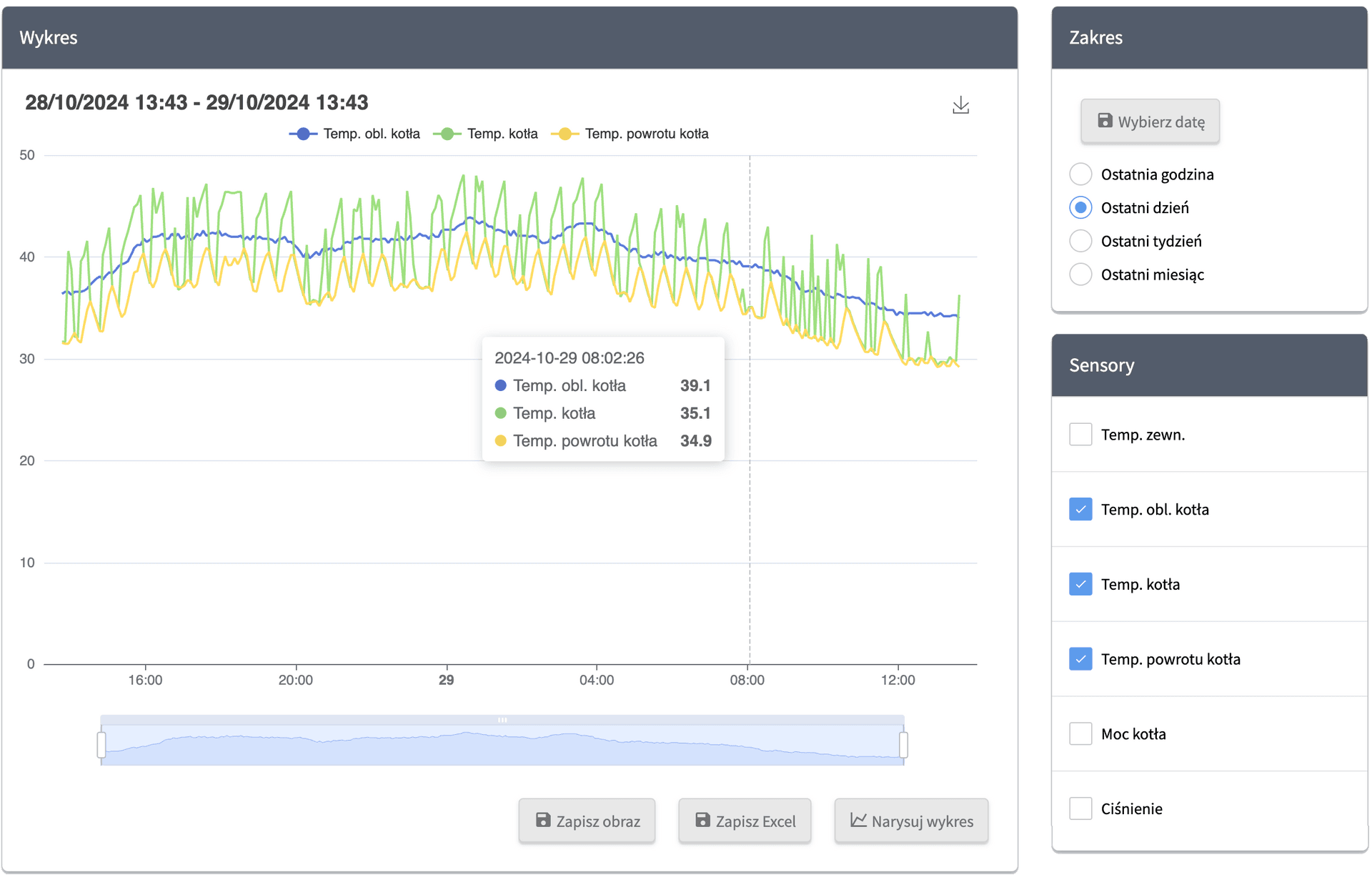
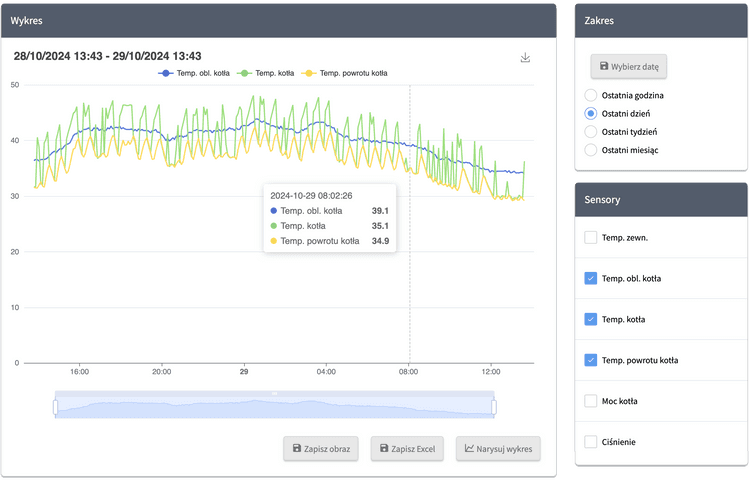
Visual representation of historical data helps to notice anomalies in the installation's operation more easily. Thanks to our system, we have managed multiple times to pinpoint configuration and connection errors, e.g., an outdoor temperature sensor being insulated during a school renovation, a failure of the lower coil in a domestic hot water cylinder, an excessively high maximum boiler temperature, and overheating or underheating of heating circuits. Additionally, charts are a useful source of information in communication between the heating service and the end user, helping to plan installation modernizations and resolve disputes.
Schedules
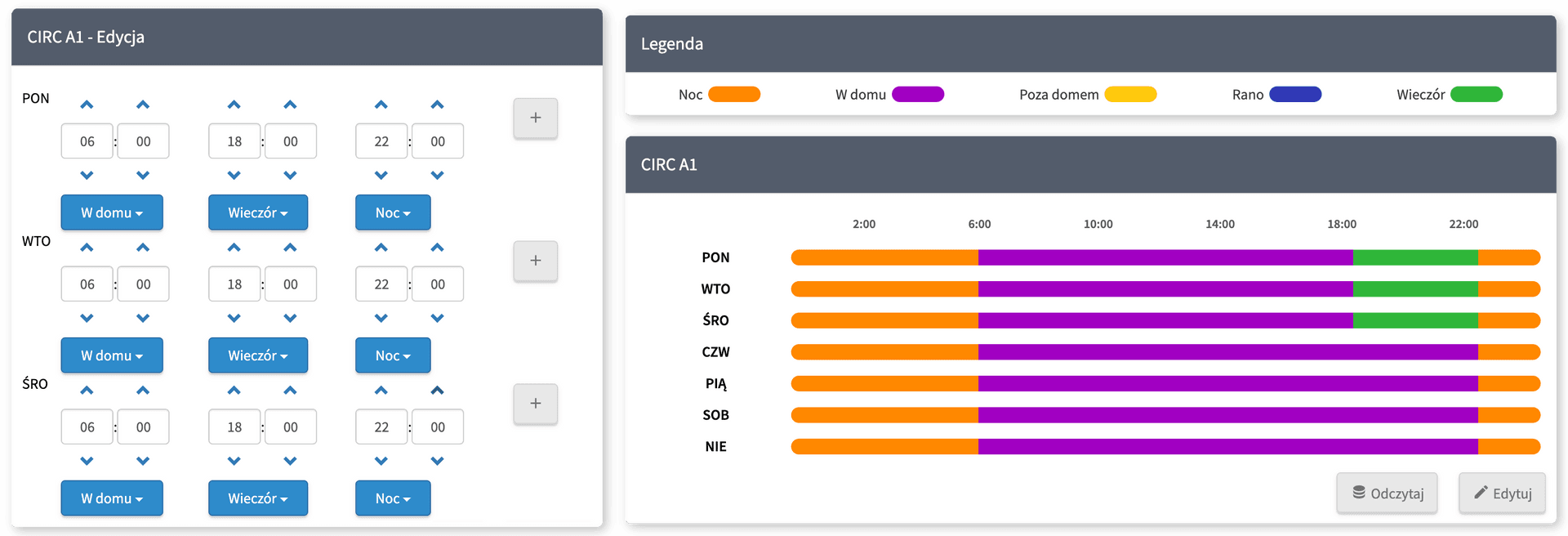
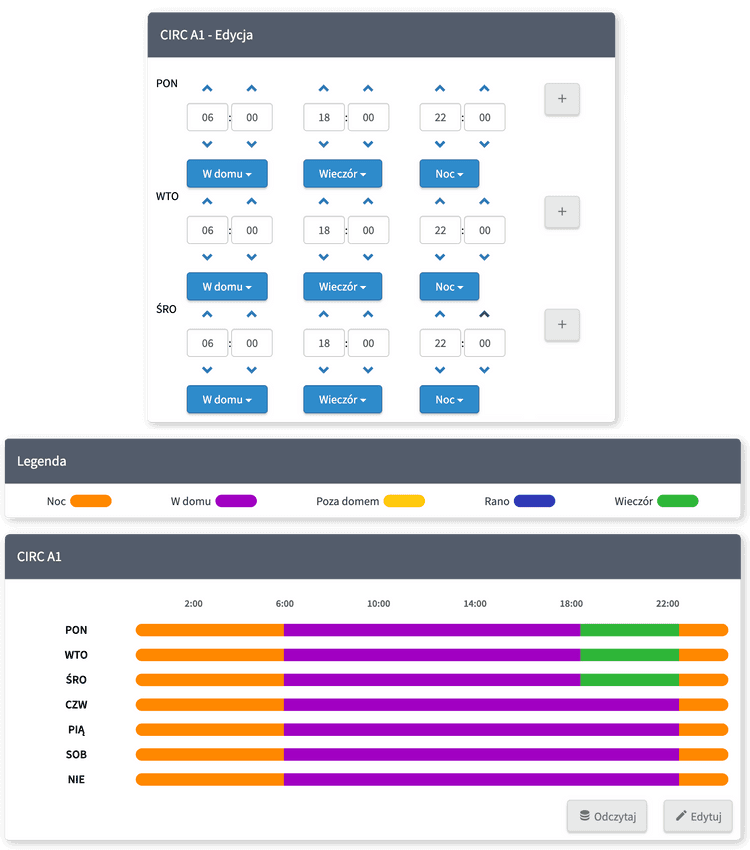
A frequent activity in a boiler room is changing the active time programs. Scontrol SMOK allows for remote editing of time programs in a user-friendly way. Schedules are prepared for the needs of specific controllers and adapted to their operation method. All changes are saved directly on the controller, allowing for both local and remote editing without synchronization issues.
Calendar
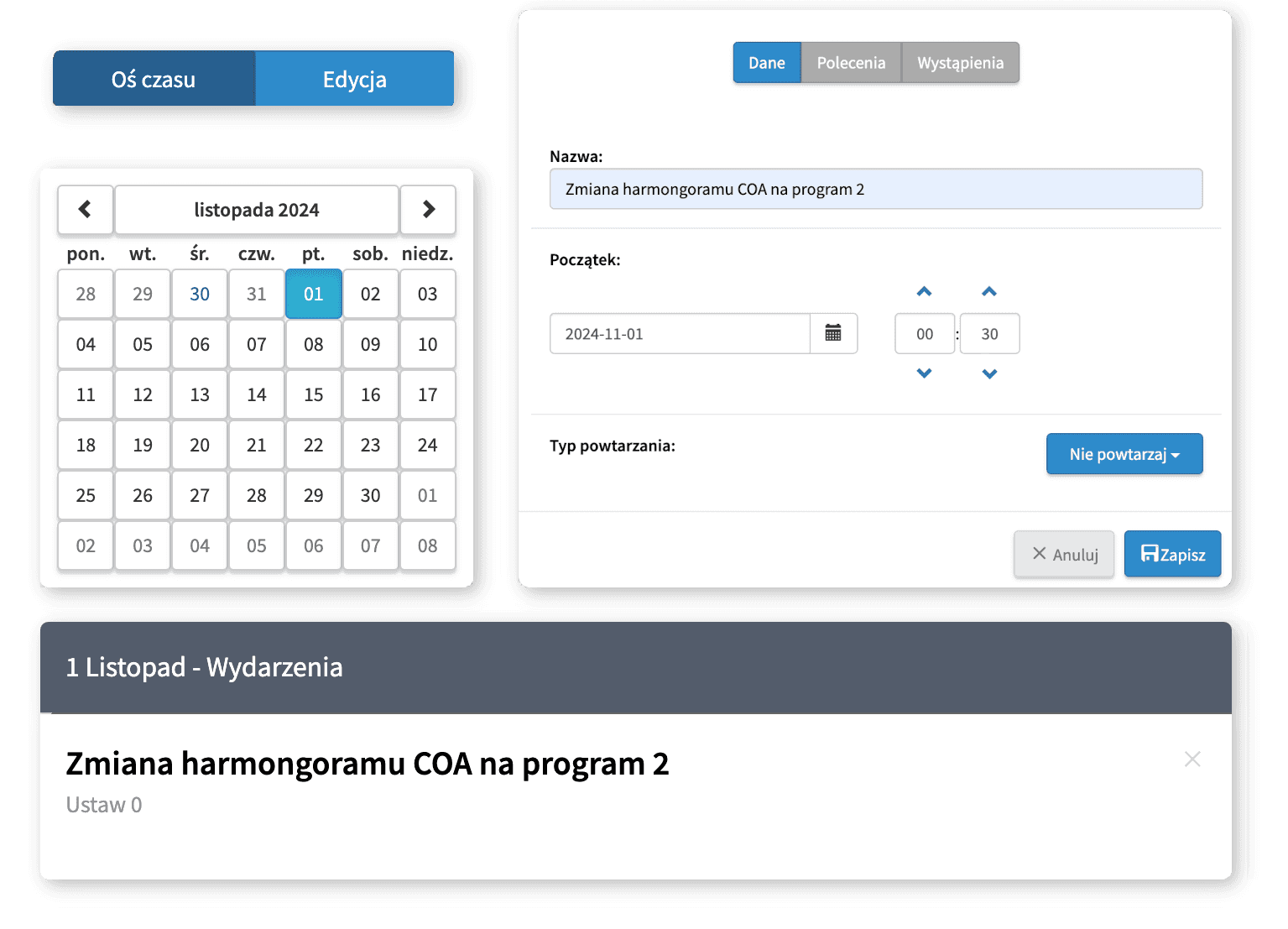
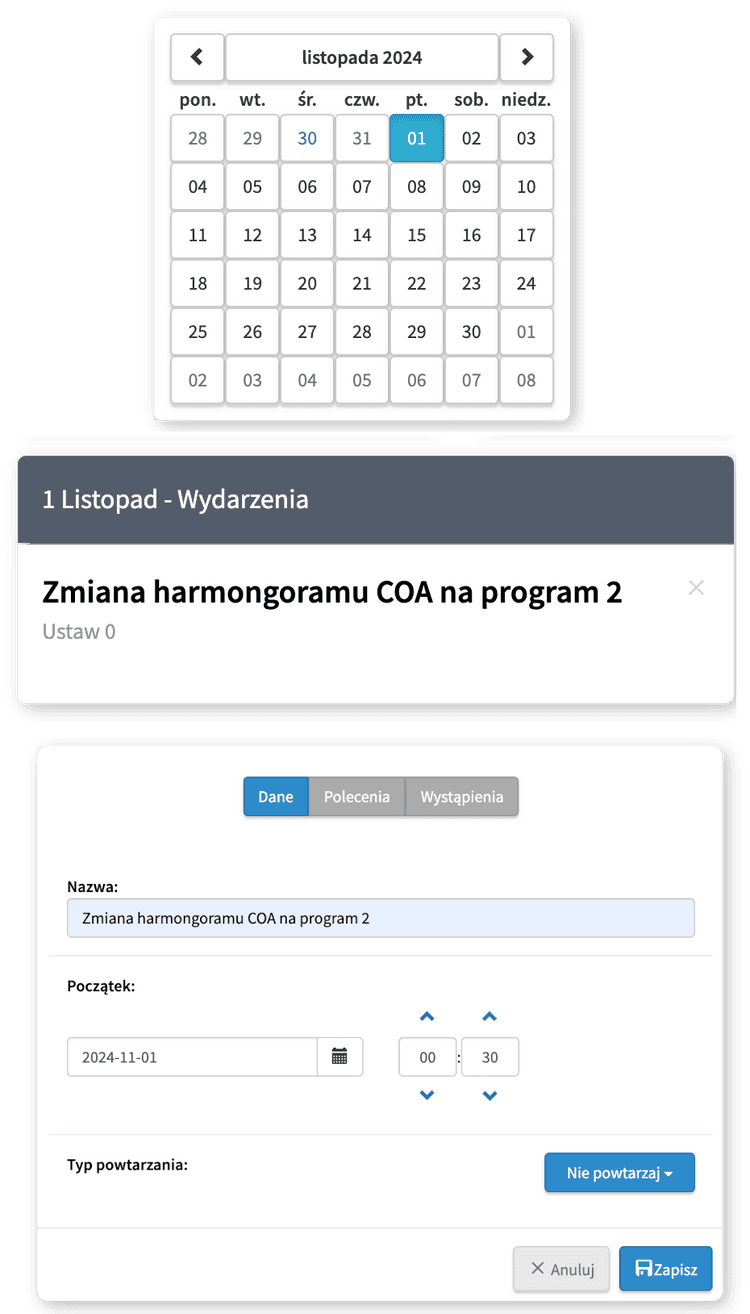
Service work often requires routine, cyclical actions involving changing the values of specific parameters. The calendar allows you to define events that will be executed at a specific time and repeated daily, once a week, or once a month. Example events include changing the operating mode to winter break/winter mode on a specific day, a weekly temperature increase in the DHW cylinder, raising the temperature in specific buildings for two weeks, etc.
Alarm notifications
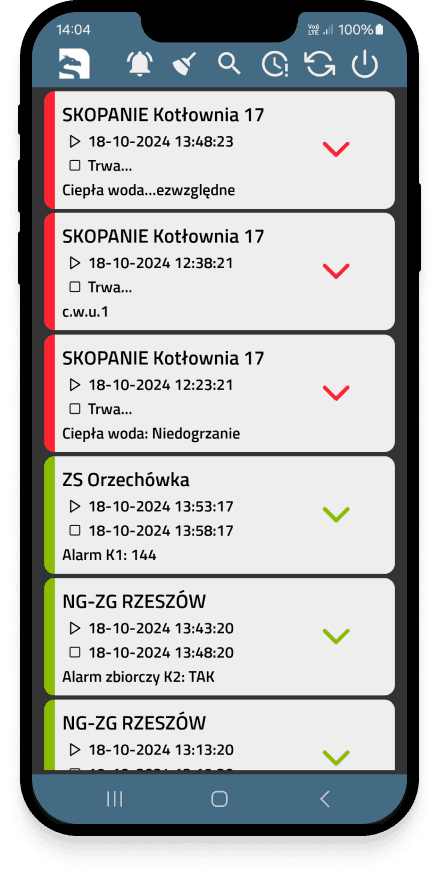
Any errors reported by the automation are sent to users as notifications in the Scontrol 24 application, via SMS, or as an email. When they occur, errors are also saved in the alarm list, allowing for later determination of what events took place at the facility. The system also has the ability to define additional alarm conditions that generate notifications when, for example, the pressure drops below a set value, temperatures in the heating circuits do not reach the set values, the Gazex central unit reports an alarm, or the system loses connection with the automation. Notes can be added to alarms, and event handling can be acknowledged, so the end user knows the service is aware of the problem and has responded. Each device can have multiple alarm lists, allowing alarm conditions to be divided by priority and notifying different groups of recipients.
Subscription example
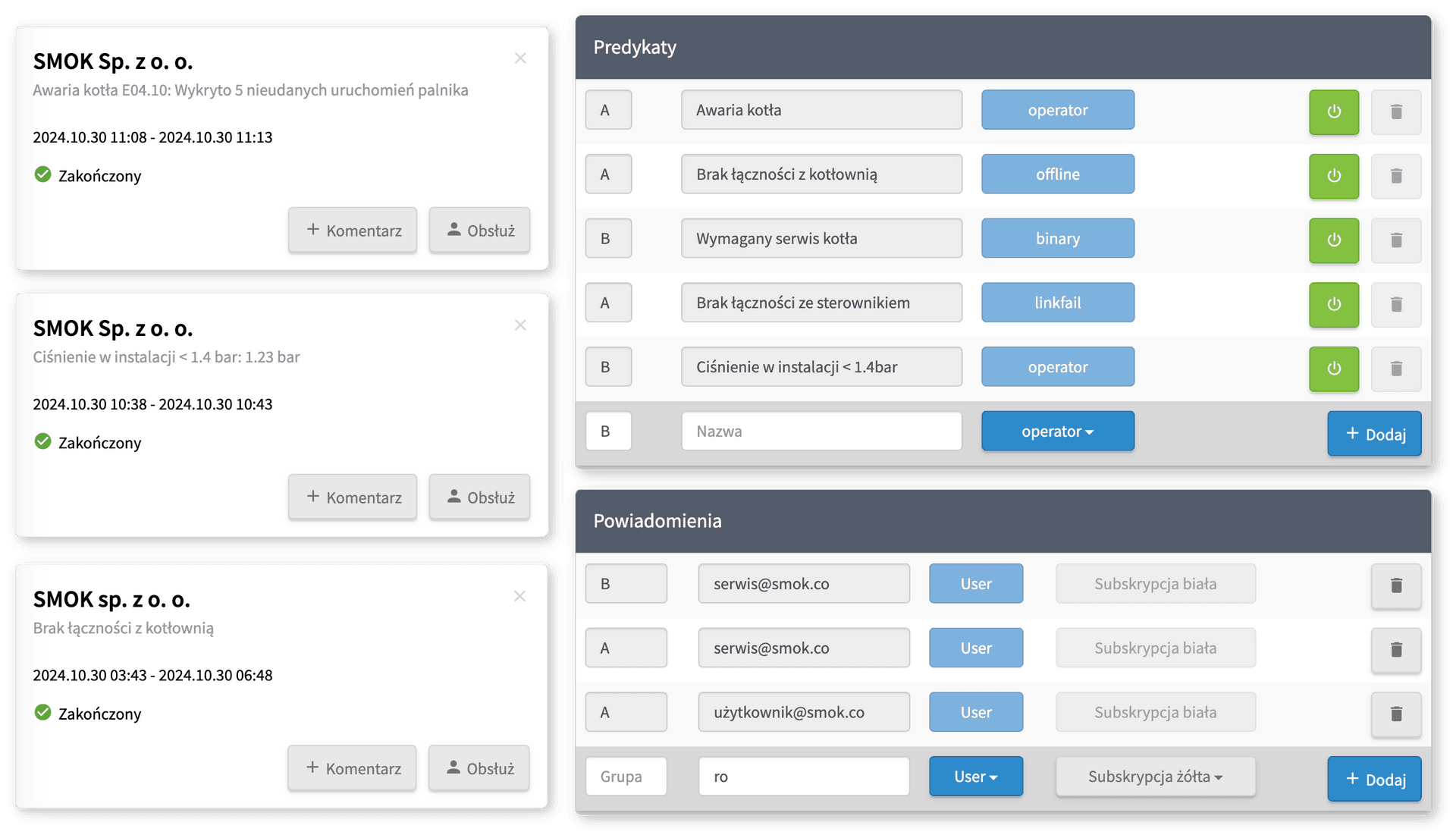
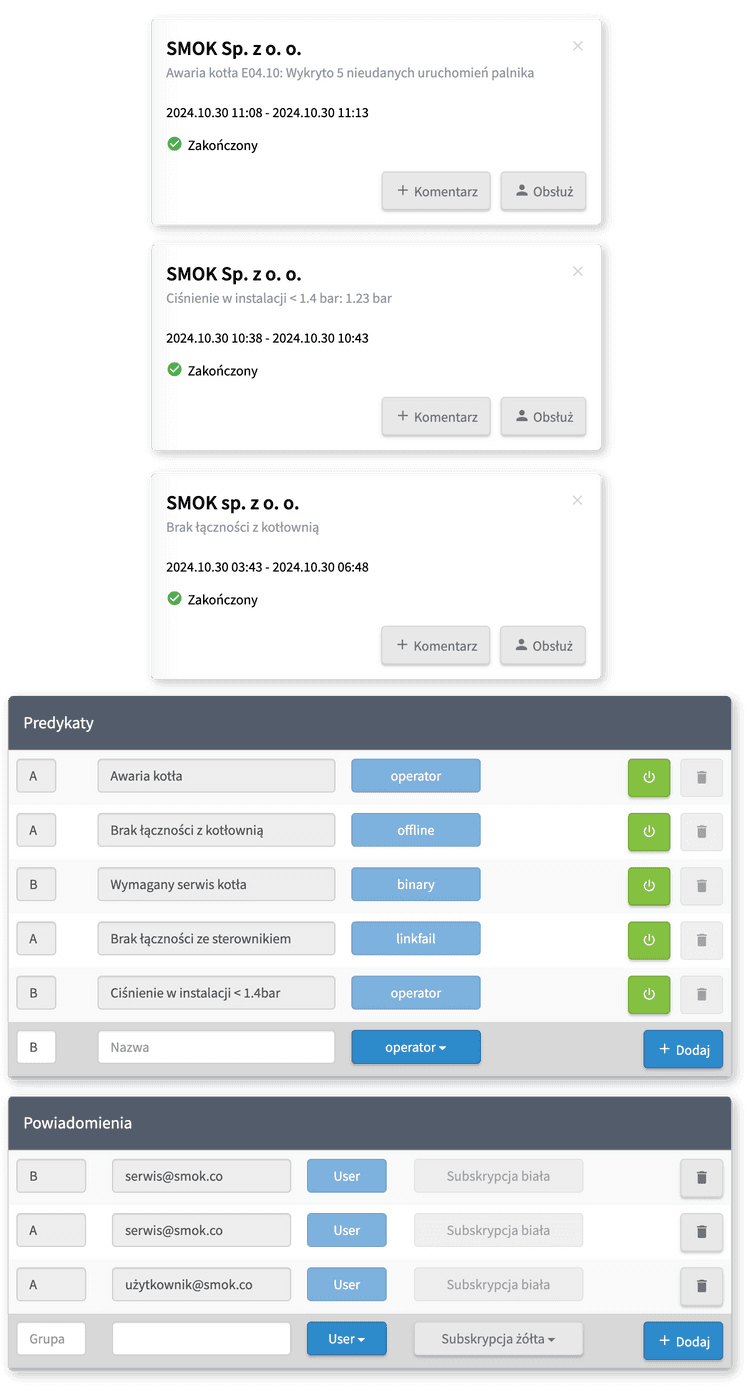
The facility has 5 alarm predicates, 3 of which belong to group A and 2 to group B. The service@smok.co account subscribes to both notification groups, while user@smok.co subscribes only to group A. Out of the 3 alarms visible on the list, service@smok.co will receive all of them, and user@smok.co will receive a notification about the boiler failure and lack of communication with the boiler room, but will not receive a notification about low pressure in the installation.
Test Scontrol
Log in to the Scontrol Remote Boiler Room Monitoring System using a demo account and see if it is right for you.